"makecert.exe -sv" - Create Private Key File
Q
How to create my private key and store it in a file using "makecert.exe"?
✍: FYIcenter.com
A
 If you want to create a private key and save it in a file instead of the
private key container, you can use the "makecert.exe -sv keyfile" option
as shown in this tutorial.
If you want to create a private key and save it in a file instead of the
private key container, you can use the "makecert.exe -sv keyfile" option
as shown in this tutorial.
1. Run the following command to create a new certificate and save the private key and certificate into two files:
C:\fyicenter>
"\Program Files\Microsoft Visual Studio 8\sdk\v2.0\bin\makecert.exe"
-n "CN=Mike Dews" -sv mike.pvk mike.crt
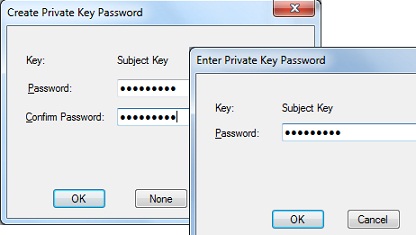
2. Enter "FYIcenter" as the password to protect the private key file, when you see the password prompt dialog box.
3. List the output files:
C:\fyicenter>dir mike.*

07/1/2012  08:59 PM               445 mike.crt
07/1/2012  08:58 PM               636 mike.pvk
⇒ "makecert.exe -r" - Create Self-Signed Root Certificate
⇐ makecert.exe - List of Command Extended Options
2016-06-27, ≈22🔥, 3💬
Related Topics:

