Detailed Information of Website Certificate in Edge 93
How to view detailed information of a Website certificate in Microsoft Edge 93?
✍: FYIcenter.com
 If you want to see more detailed information of a Website certificate
in Microsoft Edge 93, you can follow these steps:
If you want to see more detailed information of a Website certificate
in Microsoft Edge 93, you can follow these steps:
1. Run Microsoft Edge 93 and go to https://www.google.com.
2. Open the Website certificate as shown in the previous tutorial.
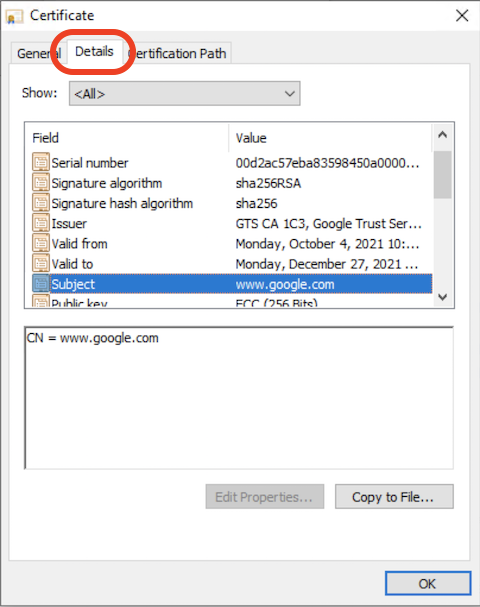
3. Click "Details" tab. You see a list of data fields in the certificate showing up.
4. Click "Subject" field. You see "CN = www.google.com". This tells you that this certificate is intended to identify the "www.google.com" domain name.
5. Click other fields to review their values.
⇒ Signing Path of Website Certificate in Edge 93
⇐ General Information of Website Certificate in Edge 93
2021-11-30, ∼1636🔥, 0💬
Related Topics:


