Security Component Error on Starting Mozilla Firefox 9
Q
Why am I getting the "Could not initialize the application's security component" error when staring Mozilla Firefox 9 on Windows 7?
✍: FYIcenter.com
A
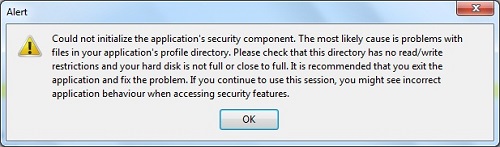
 When staring Mozilla Firefox 9 on Windows 7, you may get this error message:
Could not initialize the application's security component. The most
likely cause is problems with files in your application's profile
directory. Please check that this directory has no read/write
restrictions and your hard disk is not full or close to full. It is
recommended that you exit the application and fix the problem. If
you continue to use this session, you might see incorrect
application behaviour when accessing security features.
The problem could be related to certificate files in your profile folder: C:\Users\fyicenter\AppData]Roaming\Mozilla\Firefox\Profiles\xxxxxx.default
- Drive C: is full. The partition of the hard disk for drive C: is full. Delete some file in drive C: and try again.
- cert8.db is read-only. The properties of cert8.db or key3.db is read-only. Firefox can not modify them. Remove the read-only setting and try again.
- cert8.db is corrupted. cert8.db or key3.db are damaged. Firefox can not read them. Remove them and try again.
- Bad characters in user name. The username has non-Latin characters. Firefox can not access the user profile folder. Create a new username with ASCII characters.
- Still not working? Try uninstall Mozilla Firefox 9 and reinstall it.
⇒ Firefox Certificates Tutorials
⇐ Add Certificate Validation Exception in Mozilla Firefox 9
2012-07-31, ∼7840🔥, 0💬
Related Topics:


