List Certificates on Android
How to list all certificates on my Android device? I want to know what's in the "System" store and what's in the "User" store.
✍: FYIcenter.com
 You can view certificates on your Android device as shown in this tutorial:
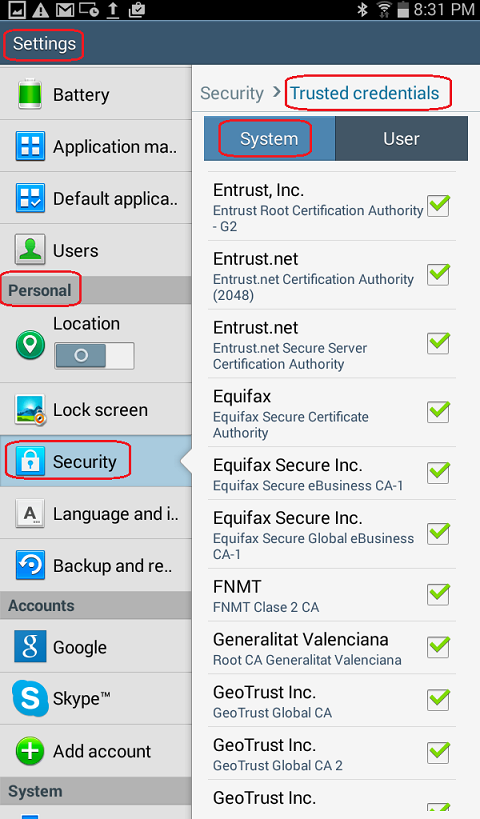
1. Go to Settings > Personal > Security > Credential storage.
2. Tap on "Trusted Credentials - Display trusted CA certificates". All installed certificates installed on the device will be displayed in two tabs: System and User.
3. Tap on "System" tab. All trusted root CA certificates in the "System" store will be displayed. Those certificates are pre-installed as part of the Android system.
4. Tap on "User" tab. All certificates in the "System" store will be displayed. Those certificates were installed by you previously. Nothing is displayed, if you have not installed any certificates.
Â
⇒ Types of Certificates on Android
⇠Certificate Stores on Android
2016-01-29, ≈19🔥, 0💬


