How to Run Java Control Panel on Mac
Q
How to run Java Control Panel on Mac? I can not find it on my Mac computer.
✍: fyicenter.com
A
 The "Java Control Panel" is not installed as normal application
on your Mac computer. This is why you can not find it easily.
The "Java Control Panel" is not installed as normal application
on your Mac computer. This is why you can not find it easily.
The "Java Control Panel" tool is located in the "System Preferences..." on your Mac computer as shown below:
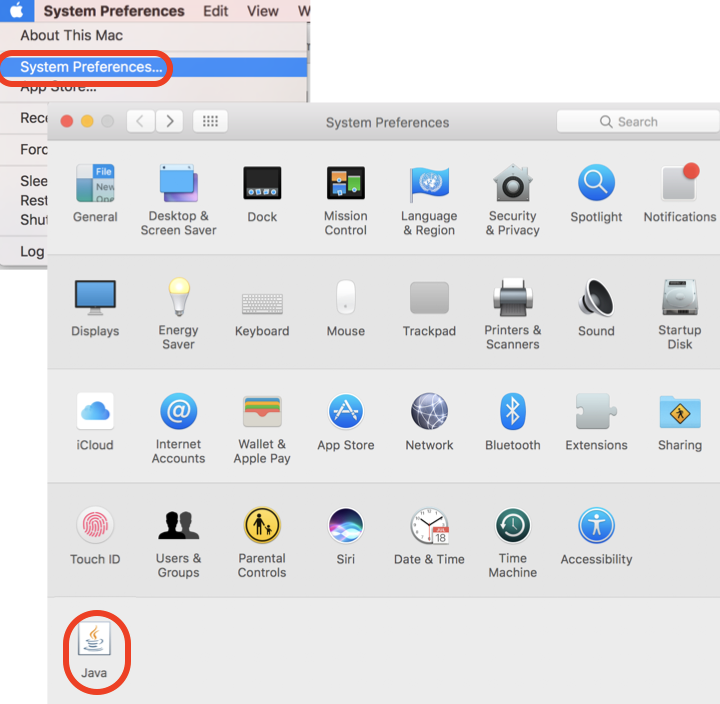
If want to start "Java Control Panel" from a command line window, you can run the "javaws -viewer". It starts the "Java Control Panel" and displays the "Java Cache Viewer". Try it yourself:
fyicenter$ javaws -viewer
  16:43:32.206 java[85146:62350552] Original euid:502
⇒ Java Control Panel on Mac - Certificates
2021-11-30, ∼5620🔥, 0💬
Related Topics:


