OpenSSL Fulgan Binary Crash on Windows 7
Q
Why am I getting an error when running OpenSSL "verify" command? I am using the OpenSSL Fulgan binary version.
✍: FYIcenter.com
A
 If you running OpenSSL 1.0.2h Fulgan binary version on a Windows 7 system,
you can try to run the following OpenSSL "verify" command:
If you running OpenSSL 1.0.2h Fulgan binary version on a Windows 7 system,
you can try to run the following OpenSSL "verify" command:
C:\Users\fyicenter>\local\openssl\openssl.exe

OpenSSL> verify twitter.pem
You will get an application crash screen. Click on "View problem details" icon, the following details of the crash is displayed:
Problem Event Name:     APPCRASH
Applicaiton Name:       openssl.exe
Applicaiton Version:    0.0.0.0
Applicaiton Timestamp:  572936ad
Fault Module Name:      ntdll.dll
Fault Module Version:   6.1.7601.19160
Fault Module Timestamp: 56bcd4d2
...
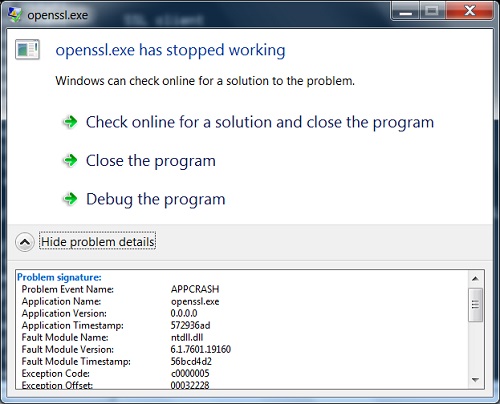
So the OpenSSL 1.0.2h Fulgan binary version is not compatible with the ntdll.dll on Windows 7 computer. We need switch to use other Windows binary versions like the slproweb version.
⇒ OpenSSL "verify" - Verify or Validate Certificate
2018-01-27, ∼3805🔥, 0💬
Related Topics:
