View Web Site Server Certificate in Safari 5
Q
How to view the server certificate of a Web site in Safari 5 on Windows? I know the Web site uses an "https" address.
✍: FYIcenter.com
A
If you are visiting a Web site that uses an "https" address with Safari 5, you can view the server certificate of the site as shown in this tutorial:
1. Run Safari 5 and visit https://www.yahoo.com Web site. You see Yahoo home showing up.
2. Click on the "Lock" icon at the end of the Web site address input box.
You see general information of Yahoo server certificate showing up.
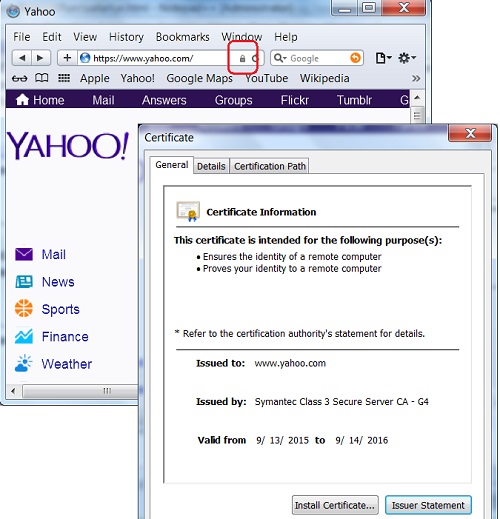
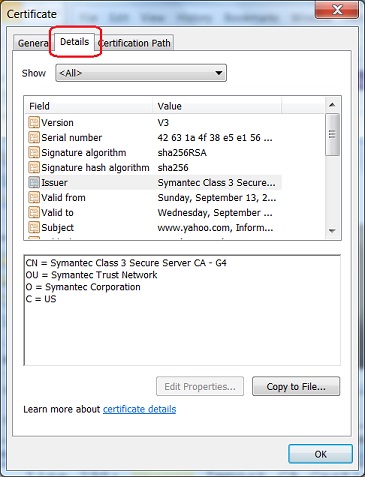
3. Click on the "Details" tab to see more details of the certificate.
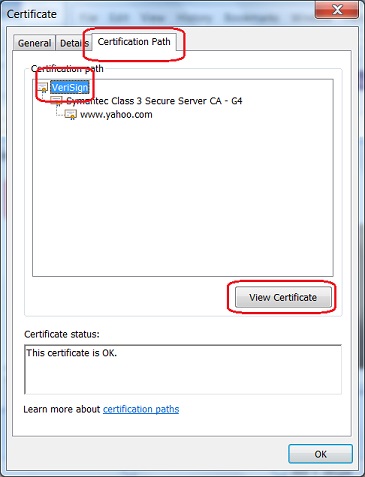
4. Click on the "Certification Path" tab to see who signed the certificate.
2015-10-09, ∼3050🔥, 0💬
Related Topics: