Details View of Root CA Certificate on Mac
How to view detailed information of a Root CA certificate on Mac computer?
✍: FYIcenter.com
 To view detailed information of a CA certificate on your Mac computer,
you can follow this tutorial.
To view detailed information of a CA certificate on your Mac computer,
you can follow this tutorial.
1. Open "Launchpad > Other > Keychain Access" on your Mac computer. You see "Keychain Access" window.
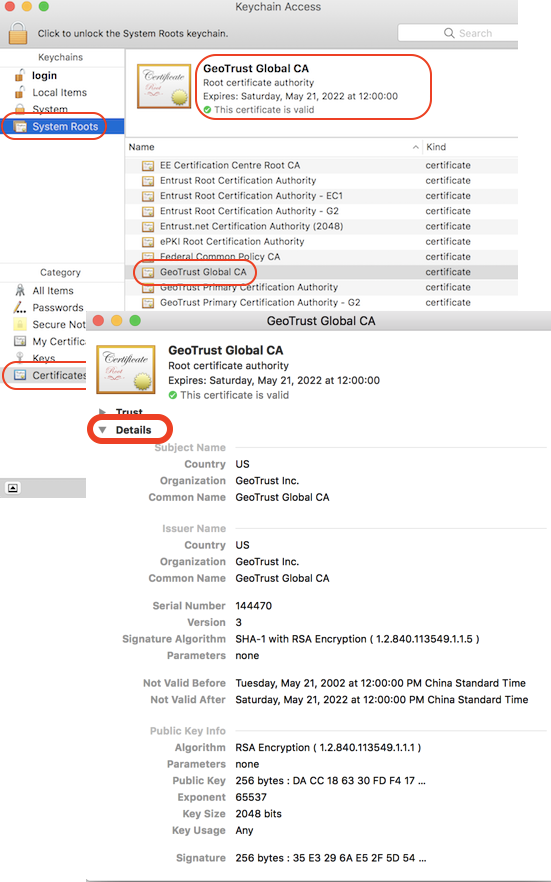
2. Click "System Roots" in the "Keychains" list on left. And select "Certificates" in the "Category" list. You see a list of trusted root CA certificates.
3. Scroll down in the list and double-click on "GeoTrust Global CA". You see the certificate window.
4. Click "Details" to expand the detail section. You see details of the certificate showing up.
⇒ Export Root CA Certificate from Mac to File
⇐ Summary View of Root CA Certificate on Mac
2021-11-30, ∼2733🔥, 0💬
Related Topics:


