View Web Site Server Certificate in IE
How to view the server certificate of the Web site in IE? I know the Web site uses a "https" address.
✍: FYIcenter.com
 If you are visiting a Web site that uses a "https" address with IE,
you can view the server certificate of the site
as shown in this tutorial:
If you are visiting a Web site that uses a "https" address with IE,
you can view the server certificate of the site
as shown in this tutorial:
1. Run IE and visit www.bestbuy.com Web site. And click "Sign In" on top of the page.
2. Right-mouse click anywhere on the page. And click "Properties" menu item. You see "Properties" screen showing up with these fields:
3. Click "Certificates" button.
You see general information of Best Buy server certificate showing up.
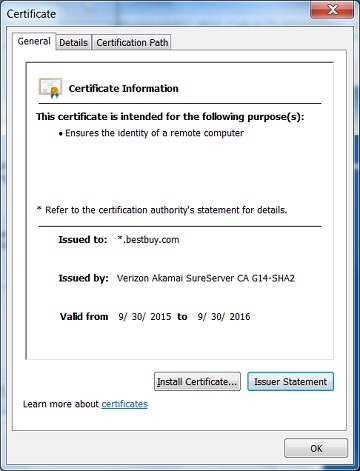
⇒ General Information of Server Certificate in IE
⇐ Connection Info on Page Properties in IE
2012-07-31, ∼7902🔥, 0💬
Related Topics:

