Delete Root CA Certificate from IE
Q
How to delete a root CA (Certificate Authority) certificate from IE? I don't know this CA and don't want to trust any Websites that uses their certificates.
✍: FYIcenter.com
A
 On a Windows 7 system, you can not delete a CA certificate from IE
if you don't have the administrator permission.
The "Remove" button is grayed out on the certificate manager
as shown in the picture below.
On a Windows 7 system, you can not delete a CA certificate from IE
if you don't have the administrator permission.
The "Remove" button is grayed out on the certificate manager
as shown in the picture below.
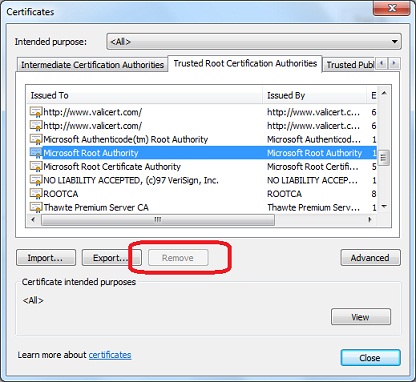
If you do have the administrator permission, you can click "Remove" button to delete the selected CA certificate from IE. See next tutorial on how to start IE as an administrator.
⇒ Start IE as Administrator to Delete Certificate
⇐ Certificate File Format Supported in IE
2012-07-30, ≈13🔥, 0💬
Related Topics:
