Download OpenSSL 0.9.8h for Windows
Q
How to download OpenSSL for Windows? I heard that OpenSSL is nice free tool to manage keys and certificates.
✍: FYIcenter.com
A
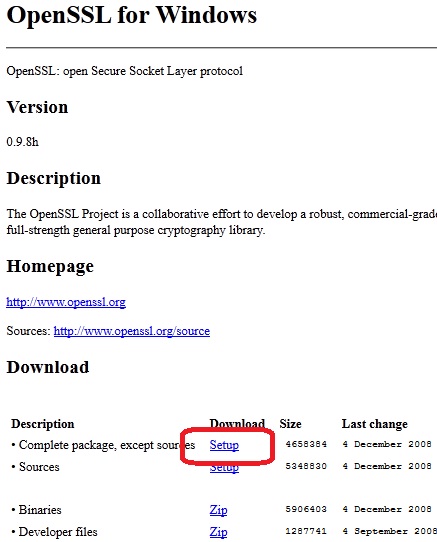
 You can download OpenSSL Windows version using these steps:
1. Go to the OpenSSL for Windows Web site.
2. Go to the line: "Complete package, except sources - Setup - 4658384 - 4 December 2008 - 9d9e1c90bb4976a554f604e9e69ac0a0" in the "Download" section.
3. Click the "Setup" link in that line
and save the file: openssl-0.9.8h-1-setup.exe to the desktop.
⇒ Install OpenSSL 0.9.8h on Windows
⇐ Other OpenSSL Versions for Windows
2016-09-04, ≈11🔥, 0💬
Related Topics:


